General App Overview
Reflekt offers a personalized and interactive experience to help users enhance their skincare and makeup routines. Using the app's real-time camera feature, users can tap on specific areas of their face, such as cheeks, lips, and hair. The app will then highlight the selected area and generate tailored tips and product recommendations based on what the camera detects. These tips focus on skincare and makeup tailored to the user's unique features. In addition to the automatically generated advice, the app also allows users to ask specific questions through voice or text. Whether they’re looking for skincare tips or makeup product suggestions, the app will provide curated recommendations to help them achieve their beauty goals.
Onboarding & Home Screen
Upon launching the app, users are presented with onboarding screens that guide them through the app's features and functionality. After completing the onboarding process, they are directed to the home screen.


On the main screen, a drop-down menu can be accessed from the top-left corner. From this menu, users can navigate to various settings, including their Account, Profile Information, Security & Privacy Settings, Wi-Fi Settings, and more.
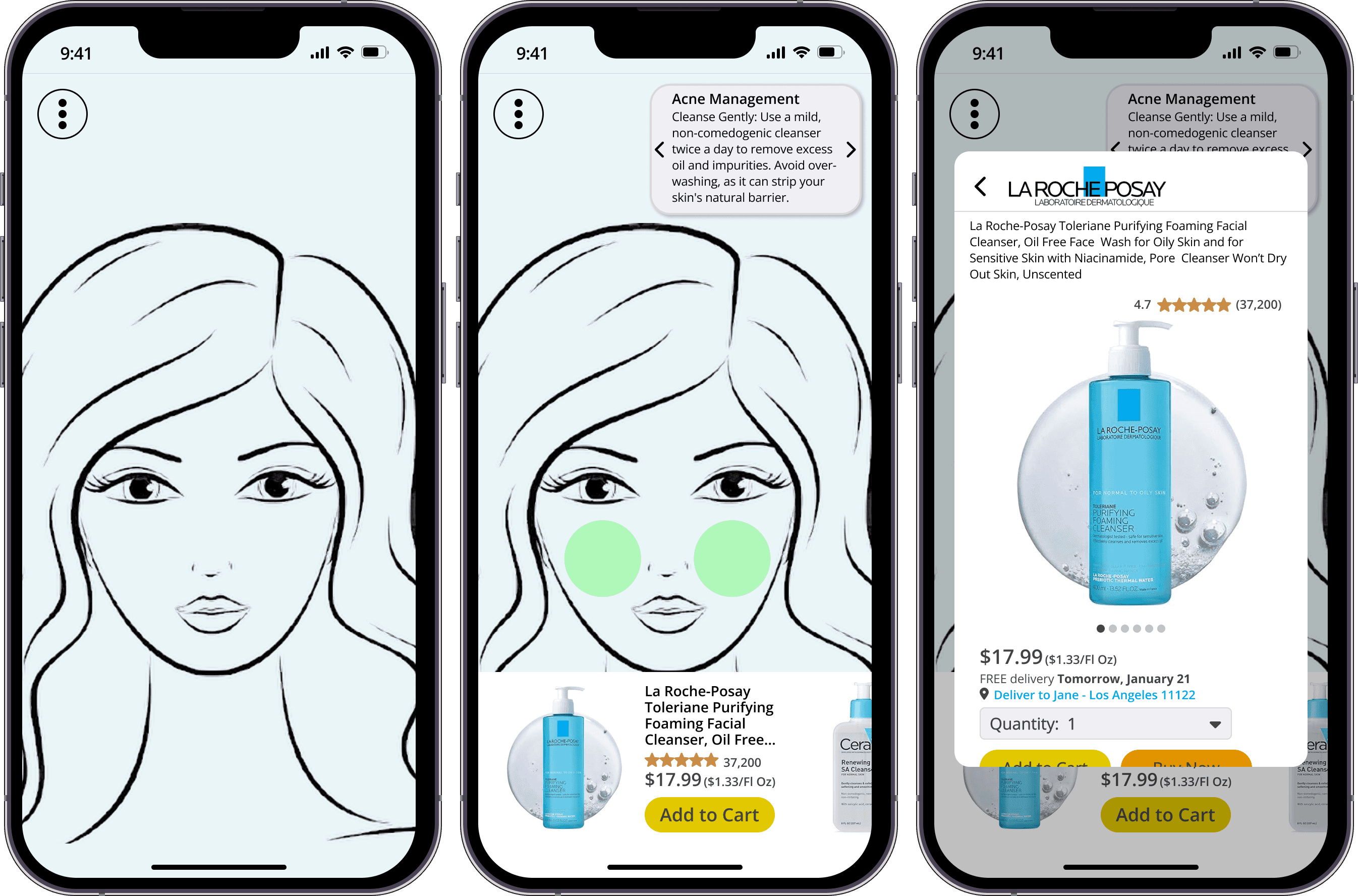
From the home screen, users can tap on specific areas of their face—such as their cheeks, hair, eyes, nose, and lips—to highlight them. Based on the highlighted area and detected facial features (e.g., acne, under-eye bags), the app generates personalized tips and recommendations, along with suggested products tailored to the user's needs.

Lips & Hair Highlighted in Green

Tips & Products for the Cheeks
Users can tap or swipe left and right on the carousel of tips in the top-right corner to view different recommendations related to the highlighted facial area. As users navigate through the tips, the products displayed in the product overlay at the bottom of the screen will update accordingly.
For areas with multiple key points, such as the eyes (which include eyebrows, eyelashes, and eyelids), the tips carousel expands to feature a 'Focus Areas' section. Here, users can select specific categories to receive more specialized tips and product recommendations tailored to their needs.

Focus Areas for the Eyes

Tapping on a product in the overlay at the bottom of the screen opens a larger view, allowing users to explore the product in more detail. In this expanded view, users can swipe through a carousel of product and informational photos, adjust the delivery location, modify the quantity, add the item to their cart, or proceed to purchase with the 'Buy Now' option.
From the main dropdown menu, users can submit custom text or voice queries by tapping the chat bubble or microphone icon, respectively, enabling them to ask the app specific questions that aren't covered by the automatically generated tips.

Manual Text & Voice Queries